
Depending on your configuration Contracts can be sent in PDF format and E-sign so the borrower can sign electronically.
Contracts are available only after the Application has been APPROVED.
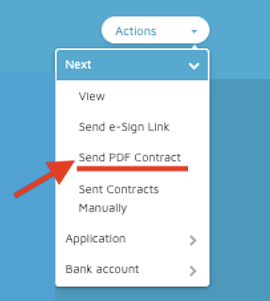
- To send contracts as PDF: Click on the ACTIONS menu and select Send PDF Contracts.
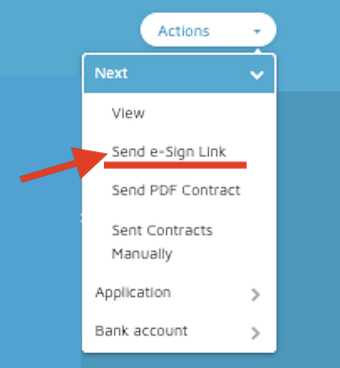
- If you have configured Docusign or Hello Sign, you can send the contract to the borrower so it can be signed electronically. To send the e-sign link click on the ACTIONS menu, then select the option Send E-sign Link.
- The borrower will receive an email notIfication with the link to sign the contract. Once the contract is signed, the application will be automatically moved to Contract Signed/Received or Waiting for Stipulations depending on your configuration.
Comments
0 comments
Please sign in to leave a comment.