
Contracts are available after the Application is APPROVED.
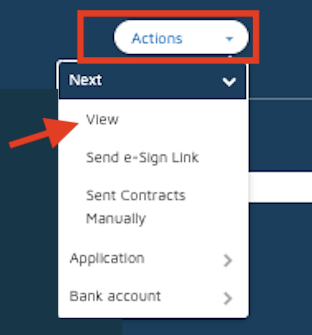
To view and Print the contract, please click on the ACTIONS menu and select VIEW.
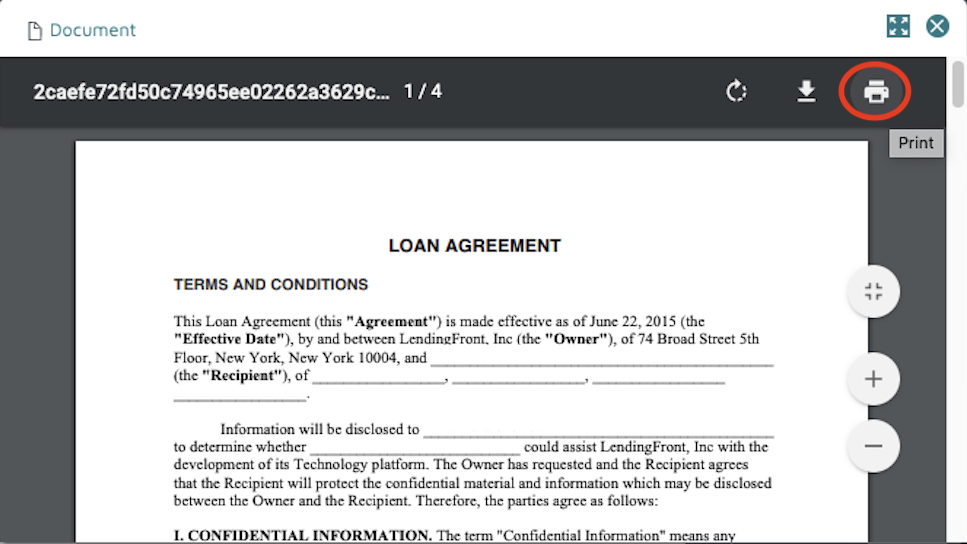
Then you can select the PRINT option.
Depending on your configuration, contracts can also be sent to borrowers in PDF format and e-sign to be signed electronically.
Comments
0 comments
Please sign in to leave a comment.