You can Re-Activate a loan that has been put on hold at any time:
1. Go to the Loan tab, and click on the Action menu, then select Activate
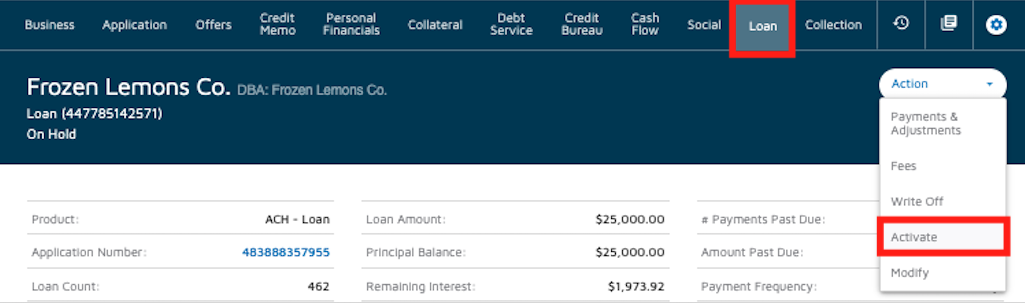
2. Click on YES to confirm the Re-Activation

You can Re-Activate a loan that has been put on hold at any time:
1. Go to the Loan tab, and click on the Action menu, then select Activate
2. Click on YES to confirm the Re-Activation
Comments
0 comments
Please sign in to leave a comment.