
You can create a payment refund from the Loan tab in Lending Portal.
1. Click on the ACTIONS menu and select Payments & Adjustments
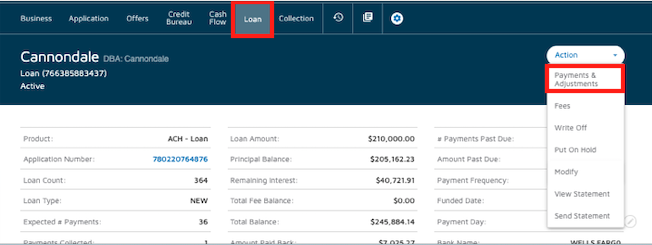
2. Select Payment Refund.
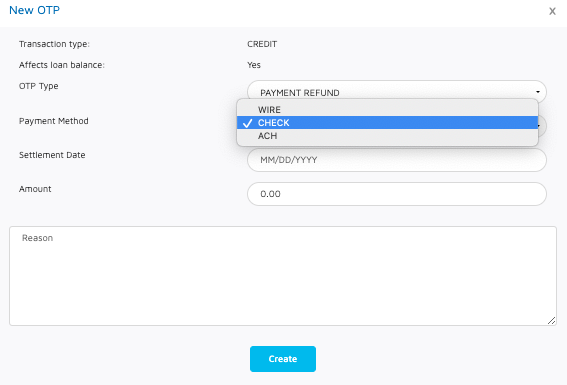
3. Select the Payment method:
- ACH
- WIRE: for this type also add the settlement date
- CHECK: for this type also add the settlement date
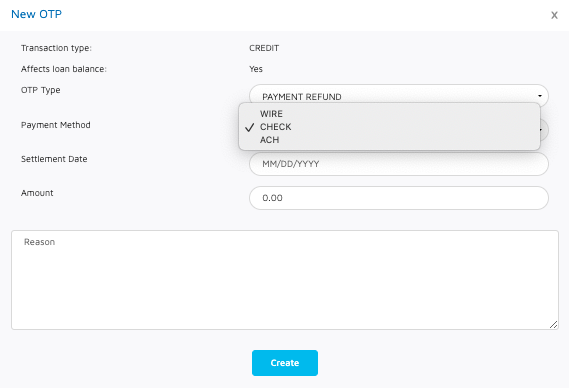
4. Enter the amount, you can also add a note if preferred.
4. Click on Create
Now, to make the Payment Refund effective and for security reasons it needs to be released by another team member from the operations team who has the permissions to do so.
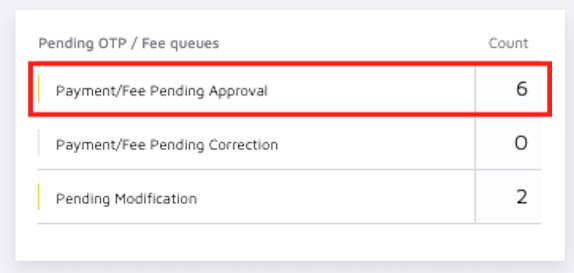
The Payment Refund can be can be found in the Payment Fee Pending Approval queue
Comments
0 comments
Please sign in to leave a comment.