You can edit the role's permissions at any time. To edit an existing Role's permissions, please follow these steps:
1. Click on the Hamburger Menu and select Roles

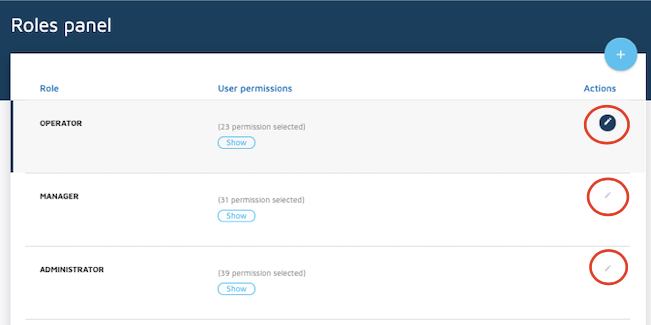
2. Click on the Pencil to edit the Role.
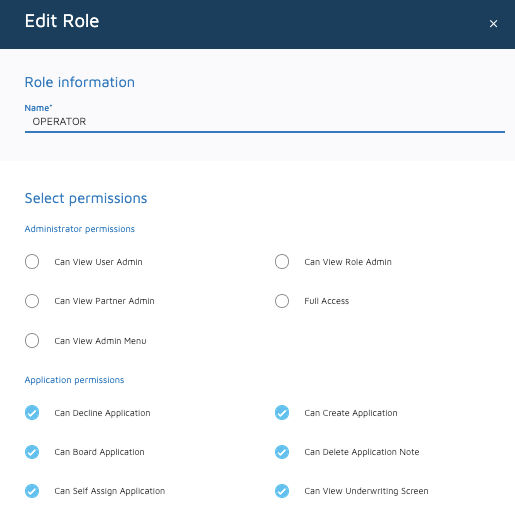
3. Make the changes needed.
4. Click on Save


You can edit the role's permissions at any time. To edit an existing Role's permissions, please follow these steps:
1. Click on the Hamburger Menu and select Roles
2. Click on the Pencil to edit the Role.
3. Make the changes needed.
4. Click on Save
Comments
0 comments
Please sign in to leave a comment.