
You may upload the required documents from the Documents section in Customer Portal.
- Documents can be uploaded in PDF, XLS and Doc. format
- Images can be uploaded in PNG and JPEG format.
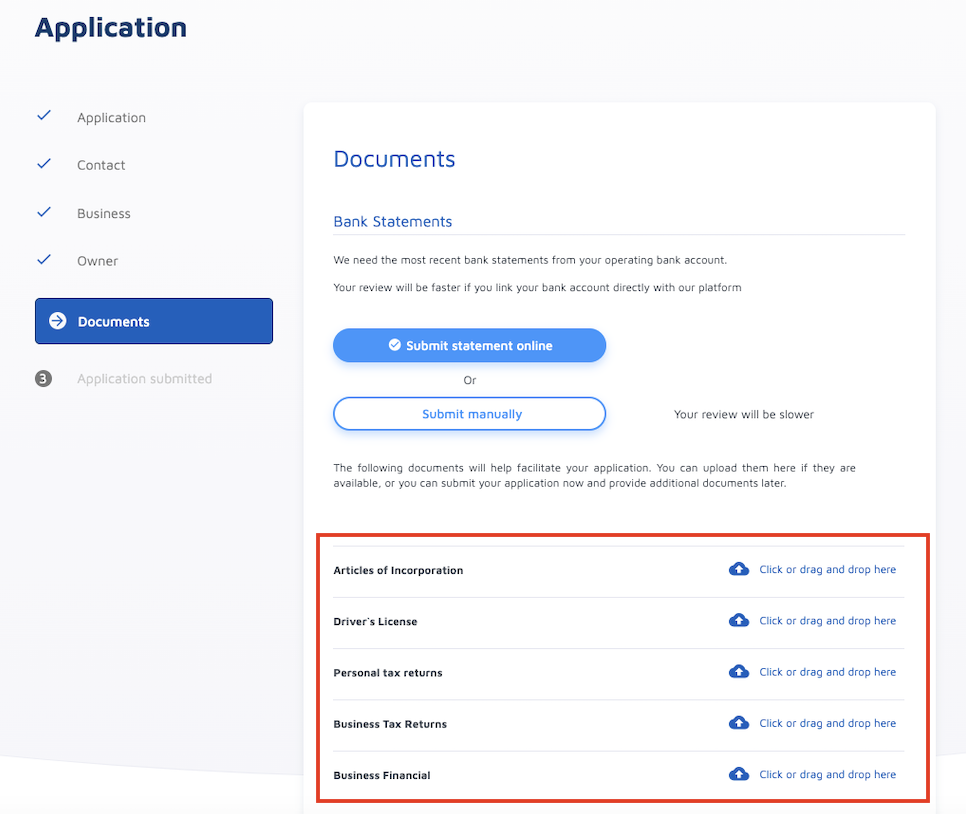
*** Documents may vary depending on the lender's requirements.
Steps to upload:
1. Click on the item you wish to upload an image/document for
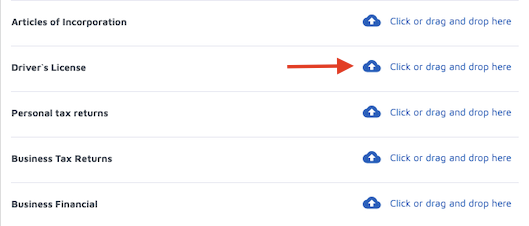
2. Select from your computer file the image/document you wish to upload and click OPEN.
You may also drag the image/document to the selected item you wish to upload.
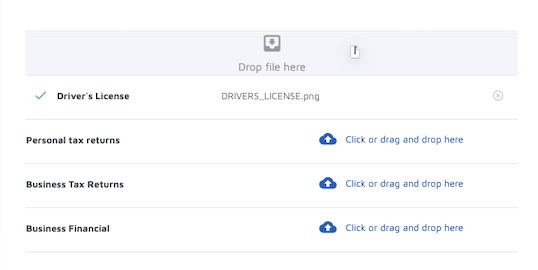
Once the document is uploaded successfully:
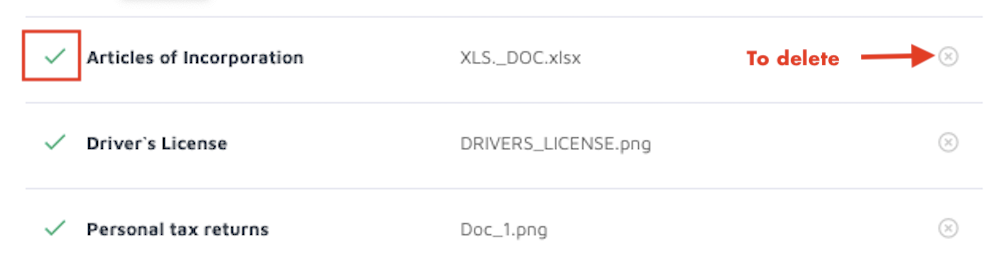
- The check mark is shown on the left side of the document
- You may delete the document by clicking on the "X" on the right side.
Comments
0 comments
Please sign in to leave a comment.